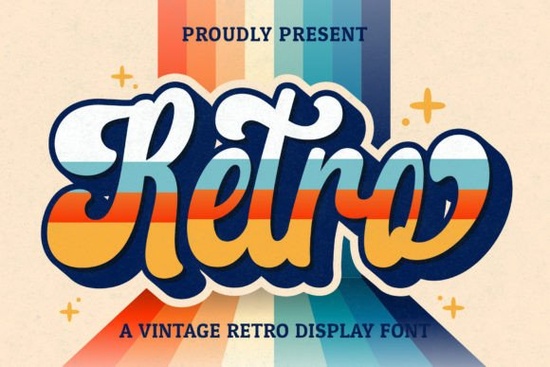
If you’ve been searching for a handwritten font with personality and vintage charm, Retro Script Font might be exactly what your next project needs. It’s got that nostalgic, slightly worn-in feel like something you’d find on a 70s diner sign or a hand-painted concert poster. Whether you’re designing logos, wedding invites, social media graphics, or merch for print-on-demand, this font adds character without feeling forced.
What makes it especially handy is that it’s PUA encoded. That means all the extra glyphs, swashes, and alternate characters are easy to access no digging through font menus or installing extra files. Just open your design software, pick the style you want, and start creating. If you like pairing fonts, you might also enjoy browsing our Rodeo Bundle, which offers a complementary rugged vibe that works well alongside script styles.
What kinds of projects work best with Retro Script?
This isn’t a one-trick font. Because of its casual yet polished look, it adapts well across different uses:
- Branding & logos – especially for cafes, boutiques, or handmade goods where warmth matters more than corporate polish.
- Wedding stationery – invitations, place cards, or signage that feels personal and inviting.
- Social media posts – quotes, announcements, or promotions that need to stand out in feeds without screaming for attention.
- Print-on-demand products – mugs, totes, shirts, or stickers where a human touch increases perceived value.
- Editorial layouts – magazine spreads, zines, or blog headers that benefit from a relaxed, editorial tone.
It’s also worth checking out Triple Font if you’re building layered text effects combining Retro Script with a clean sans-serif or bold display font can create striking contrast.
How do I access all the special characters and swashes?
Since Retro Script is PUA encoded, you don’t need plugins or complicated workflows. Most modern design tools think Canva, Adobe Illustrator, Affinity Designer, or even newer versions of Word let you browse alternates directly from the glyph panel or character map. Look for ligatures, terminal swashes, and stylistic sets. These small details make your text feel custom, not cookie-cutter.
If you’re new to using OpenType features, try typing a word, then selecting individual letters to swap in flourishes or tails. Even one or two swapped characters can transform the entire feel of your headline.
What other fonts pair well with Retro Script?
Pairing is about balance. Retro Script has movement and flair, so you’ll want something grounded to go with it. A few ideas:
- A sturdy sans-serif like College Block for contrast in posters or packaging.
- A classic serif for body text when used in editorial layouts.
- A bold display font like Preppy Varsity if you’re going for a retro sports or school theme.
You can also explore how others have used Retro Script Font in the Creative Fabrica gallery real user uploads often spark unexpected ideas.
Is this font good for commercial use?
Yes. Like most fonts on Creative Fabrica, Retro Script comes with a commercial license. That means you can use it on client projects, physical products for sale, digital templates, or branding materials without worrying about extra fees. Always double-check the license terms after download, but generally, you’re covered for most small business and freelance scenarios.
If you’re working on team projects or large-scale campaigns, consider bundling it with other display fonts from the same category to keep your toolkit flexible and cohesive.
Any tips for getting the most out of this font?
A few quick pointers:
- Don’t overdo the swashes. One or two per line is usually enough. Too many can make your layout feel busy.
- Adjust letter spacing slightly. Handwritten fonts often look better with a tiny bit more breathing room between characters.
- Use color wisely. Try muted tones or faded gradients to enhance the vintage effect bright neons can clash with the retro mood.
- Scale thoughtfully. This font shines at medium to large sizes. Avoid shrinking it too small where the details get lost.
And remember while Retro Script has personality, it’s still legible. That’s rare in script fonts, which often sacrifice readability for style. Here, you get both.
Ready to try it?
Download Retro Script Font, open it in your favorite design app, and test it with a short phrase maybe your shop name, a quote, or a mock product label. See how it feels. Play with alternates. Tweak the tracking. Then save your favorite combos as presets for future projects.
Fonts like this aren’t just tools they’re collaborators. The right one doesn’t just sit on the page; it helps your message land with the right tone. And sometimes, that’s all the difference you need.
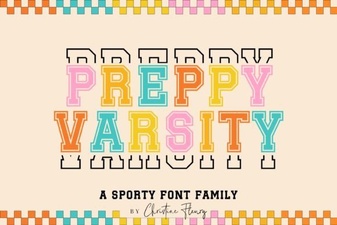 Download & Use: Free Preppy Varsity Font Files
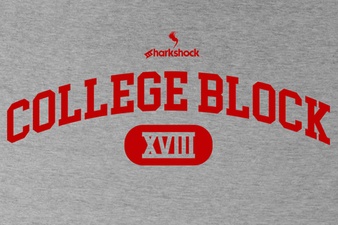 Modern College Block Font Design Ideas & Tips
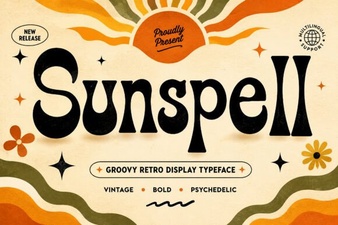 Sunspell Font: Creative Ideas for Your Typography Projects
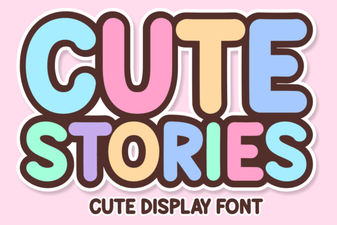 Creative Fonts for Storytelling Projects
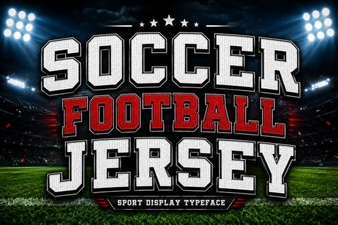 Designing Custom Soccer Jersey Fonts
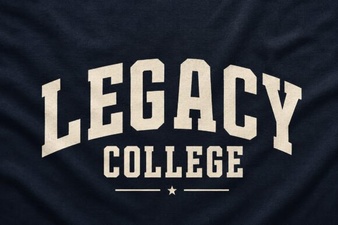 Legacy College Font Designs for Your Creative Projects