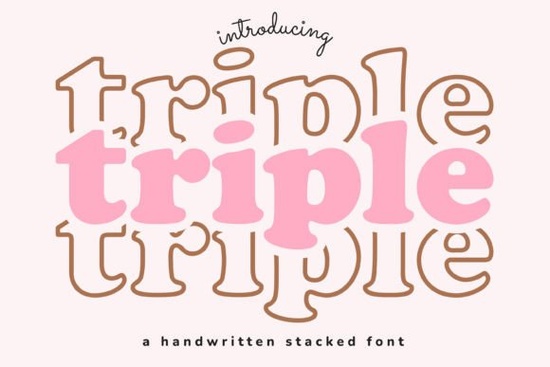
If you’re looking for a display font that adds charm without trying too hard, Triple Font is worth a closer look. It’s the kind of typeface that feels right at home on handmade greeting cards, custom tote bags, or even vinyl decals for your laptop. The letterforms have personality playful but not childish, stylish but not stiff and they adapt well whether you’re designing for print, digital, or physical crafts.
What makes this font especially handy is how versatile it is across projects. You don’t need to be a pro designer to make it work. Small business owners creating their own merch, Etsy sellers building seasonal collections, or parents personalizing birthday party invites will all find something useful here. And if you like fonts with character but clean lines, you might also enjoy browsing the Rodeo Bundle or Legacy College both offer that same balance of flair and function.
Where does Triple Font shine the most?
This font was clearly made with real-world use in mind. Here’s where it performs best:
- Print-on-demand products Think mugs, phone cases, and T-shirts. The bold strokes hold up well even when scaled down or printed on textured surfaces.
- Digital social graphics Instagram quotes, Pinterest pins, or YouTube thumbnails. It reads clearly and stands out without screaming for attention.
- Handmade crafts Whether you’re using a Cricut, heat transfer vinyl, or hand-painting signs, the shapes are easy to cut and trace.
- Seasonal designs Works beautifully for holidays, baby showers, or summer festivals. Pair it with script fonts like Cute Stories for contrast.
It’s not meant for body text or long paragraphs that’s not its job. But for headlines, logos, labels, or accent words? Absolutely. And because it’s a single weight with no complicated alternates, there’s less guesswork when you’re on a deadline.
How does it compare to other display fonts?
Some display fonts go overboard with swashes, ligatures, or ultra-thin serifs. Triple keeps it simple. That doesn’t mean it’s boring it just means you can focus on your message instead of wrestling with typography settings. If you’ve ever struggled with fonts that look great in previews but fall apart in real use, this one’s built to avoid those pitfalls.
For sports-themed projects, you might want something more rugged like the Soccer Jersey Font. For sun-drenched, beachy vibes, check out Sunspell. But when you need a font that’s friendly, flexible, and fuss-free, Triple fills that gap nicely.
You can see how it looks in different contexts by checking out Triple Font directly on Creative Fabrica. They often include bonus glyphs, multilingual support, and commercial licenses which matters if you’re selling what you make.
Can I use this font for client work or resale items?
Yes with the standard license from Creative Fabrica, you’re allowed to use Triple Font in designs you sell. That includes physical products (like stickers or apparel) and digital templates (like Canva layouts or SVG files). Just make sure you’re not redistributing the font file itself. Most users won’t need an extended license unless they’re embedding the font in apps or software.
If you’re new to licensing, here’s a quick tip: always download the license info along with your font files. Keep them in a folder labeled “Font Licenses” so you’re covered if questions come up later. Creative Fabrica makes this easy their product pages usually link directly to the license terms.
What should I pair it with?
Triple pairs well with clean sans-serifs for contrast. Try pairing it with fonts like Montserrat, Lato, or even system fonts like Arial or Helvetica for a modern-minimal look. If you want to lean into the handmade vibe, combine it with handwritten scripts or brush fonts. Avoid pairing it with other heavy display fonts that’ll create visual clutter.
And if you’re building a font library for your shop or studio, consider grabbing a few complementary styles at once. Bundles like the ones mentioned earlier often cost less than buying fonts individually, and they give you more flexibility when clients ask for “something different.”
Before you start designing:
- Install the font and test it at different sizes make sure it’s legible where you plan to use it.
- Check spacing between letters (kerning) in your design software. Sometimes a tiny adjustment makes a big difference.
- Save a backup copy of the original font file. Software updates or system crashes can sometimes corrupt installed fonts.
- Keep your license PDF handy. You never know when you’ll need to prove you’re allowed to use it commercially.
Fonts like Triple remind us that good design doesn’t have to be complicated. Sometimes, the right tool is the one that gets out of your way and lets your creativity lead. Give it a try on your next project you might be surprised how much mileage you get from such a simple, solid choice.
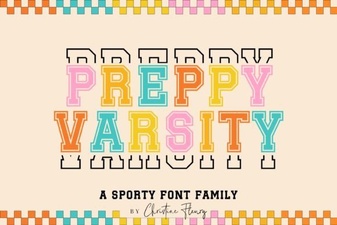 Download & Use: Free Preppy Varsity Font Files
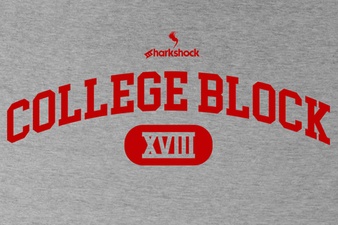 Modern College Block Font Design Ideas & Tips
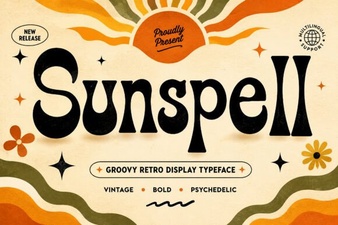 Sunspell Font: Creative Ideas for Your Typography Projects
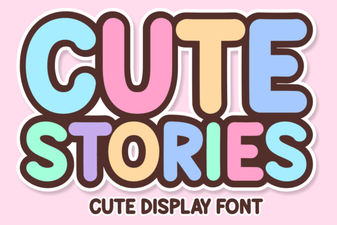 Creative Fonts for Storytelling Projects
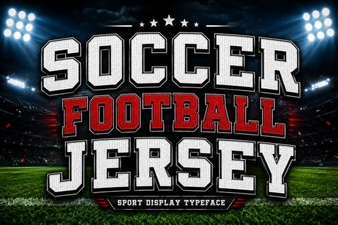 Designing Custom Soccer Jersey Fonts
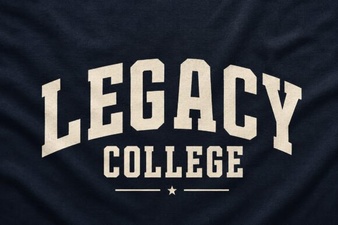 Legacy College Font Designs for Your Creative Projects