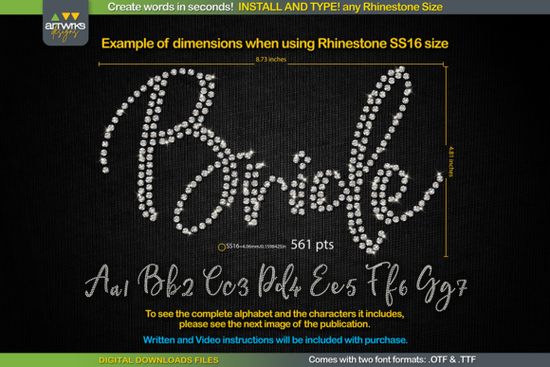
If you’ve ever tried to design custom rhinestone text for t-shirts, tote bags, or heat transfer vinyl projects, you know how tedious it can be to manually place each stone. That’s where the RS01 Cursiva Rhinestone Template TTF Font comes in handy. Instead of spending hours arranging individual rhinestones, you just type your word, adjust the font size, and let the font do the heavy lifting. It’s especially useful if you’re running a small business or side hustle making personalized apparel or accessories.
This font isn’t your average script it’s built specifically for rhinestone layouts. Each letter is pre-filled with perfectly spaced “stone” placeholders, so whether you’re using SS6, SS10, SS16, or SS20 sizes, there’s a recommended point size that lines everything up correctly. You don’t need special software plugins or complicated workflows. Just install the font (available in both .TTF and .OTF formats), open your favorite design program like Cricut Design Space, Silhouette Studio, or even Illustrator, and start typing.
How does this rhinestone font actually work?
When you select RS01 Cursiva in your design software, every character you type automatically appears as an outline filled with evenly spaced dots those represent where your rhinestones will go. The spacing is designed so stones won’t overlap or leave awkward gaps. If you’re cutting for HTV, the letters are also “trapped,” meaning they’re slightly overlapped to prevent misalignment during pressing.
One thing to note: Cricut Design Space has changed how it handles scaling recently. Sometimes, resizing doesn’t preserve the exact stone spacing like it used to. But the product includes clear instructions on how to fix that usually by setting your text at the exact recommended point size before converting or expanding it in the software.
- SS6 stones: Set font size to 359 pt
- SS10 stones: Use 456 pt
- SS16 stones: Go with 561 pt
- SS20 stones: Scale to 738 pt
Once sized correctly, you’re ready to cut. Export your design, load your rhinestone template material or HTV, and send it to your cutter. No extra steps, no guesswork.
Who is this font best for?
If you sell custom rhinestone apparel online, run a local craft booth, or just love making gifts for friends and family, this font saves time and reduces errors. Print-on-demand sellers can use it to mock up designs faster. Small studios benefit from consistent, professional-looking layouts without needing advanced vector skills. Even hobbyists who are just getting started with heat press or rhinestone tools will find this surprisingly easy to use.
It works across platforms too Windows, Mac, iPad, even iPhone. As long as your device supports standard font installation and your design app lets you choose fonts (most do), you’re good to go.
What if I want more font styles later?
RS01 Cursiva has a beautiful flowing script style, but sometimes you might want something bolder or more minimalist to match different projects. Creative Fabrica has plenty of other options worth exploring. For example, if you like elegant handwriting styles, check out Sarphine or Samantha Calligraphy. Need something clean and modern? Montserrat offers great readability. Or if you’re into edgy, tattoo-inspired scripts, Locked Whisper adds attitude. And for variety, the Handwritten Font Collection bundles multiple casual styles in one download.
You can also browse similar products directly on Creative Fabrica: RS01 Cursiva Rhinestone Template TTF Font.
Any tips before I start using it?
Yes always test cut first. Especially when switching between rhinestone sizes or materials, do a small sample to confirm spacing and sizing. Also, make sure you unzip the downloaded file completely before installing. Some users skip this step and wonder why the font doesn’t show up in their software.
And remember: this font only includes the characters shown in the product images. That means standard A-Z, a-z, numbers, and basic punctuation. No extended glyphs or multilingual support unless specified.
Quick checklist before your first project:
- Close your design software before installing the font.
- Unzip the folder fully don’t try to install from inside a ZIP.
- Right-click the .TTF or .OTF file and choose “Install for all users.”
- Reopen your design program and find RS01 Cursiva in your font list.
- Type your word, then set the exact point size based on your rhinestone choice.
- Do a test cut on scrap material before committing to your final piece.
That’s really all there is to it. No complex tutorials, no expensive add-ons just type, size, cut, and create.
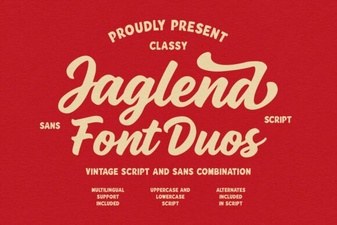 Jaglend Duo Font: Modern Typography for Creative Projects
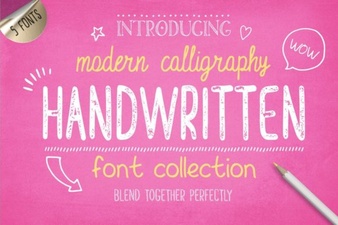 Creative Projects with Handwritten Fonts
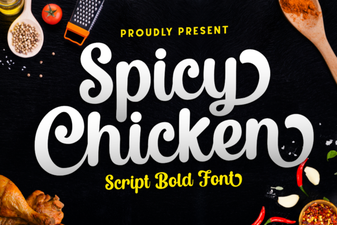 Crafting with Spicy Chicken Font: Design & Creativity
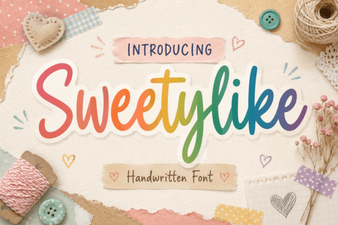 Sweetylike Font: Creative Ideas for Your Design Projects
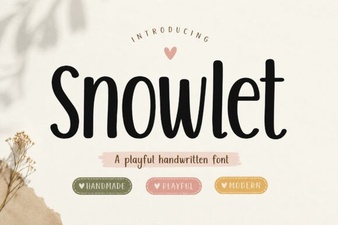 Snowlet Font: Creative Designs & Free Projects
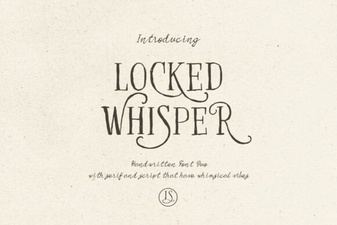 Locked Whisper Font: a Typography Design Guide